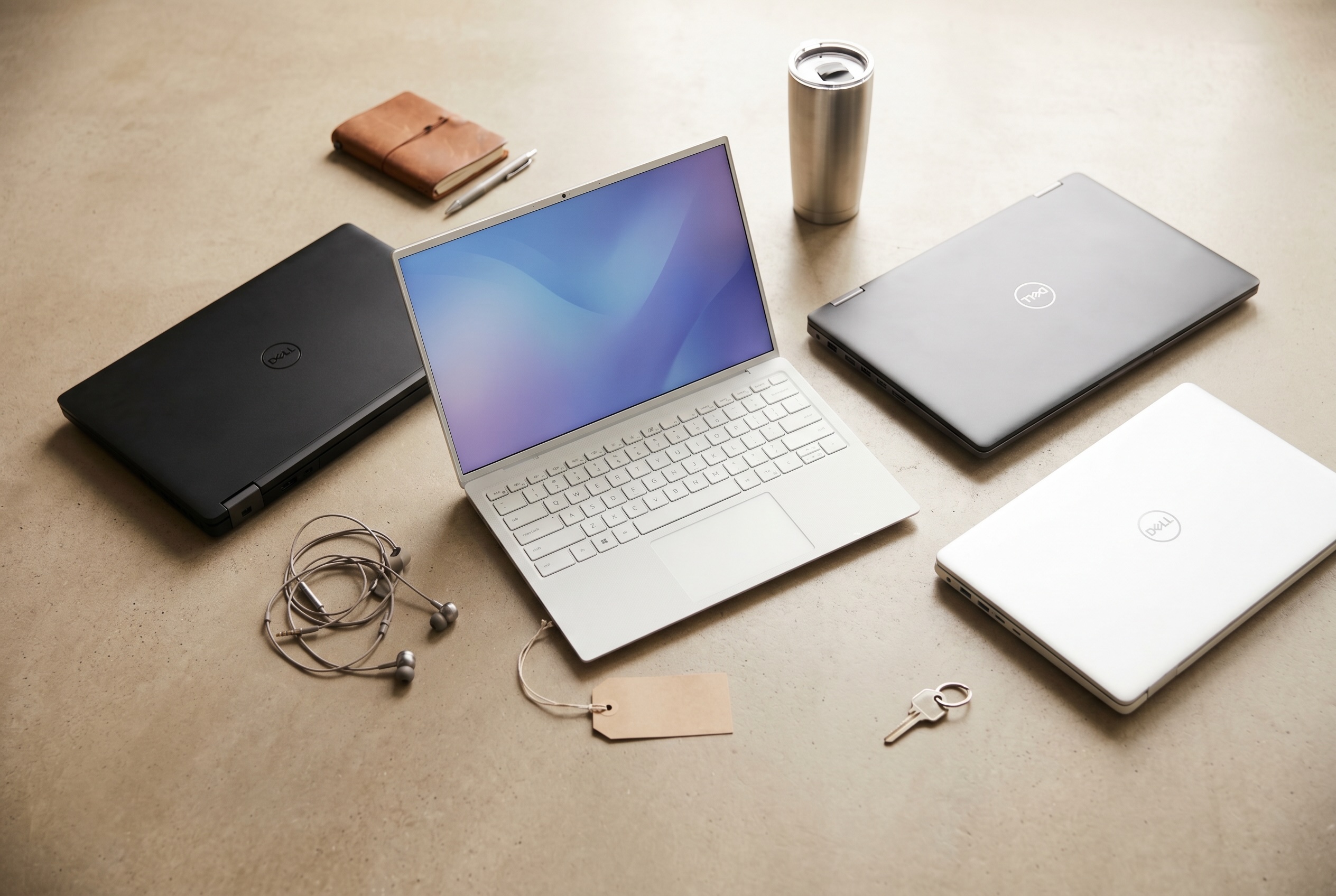
A used Dell is one of the best values in laptops, as long as you buy the right model number. This guide covers which Latitude and XPS generations are worth buying in 2026, how to read Dell’s model numbers, what they cost on Swappa right now, and what to check before you pay.
If you want the family names first (Inspiron vs. Latitude vs. XPS, plus Dell’s new Dell Pro and Dell Pro Max names), start with Decoding Dell Laptops: XPS, Dell Pro, Latitude, Inspiron and Precision. For every other brand and use case, see Used Laptops: The Complete Guide to Buying and Selling (2026).
Quick Answer
For most buyers, the sweet spot is a Dell Latitude 5420 or 7420 (2021, 11th-gen Intel) or a Latitude 5430 or 7430 (2022, 12th-gen). On Swappa on October 10, 2026, Latitude 5420 listings ran from $227 to $370, and recent sales averaged about $246 to $344 depending on the processor and storage. A Latitude 5430 lists from $258. On a tight budget, the 2020 Latitude 5410 and 7410 start around $176 and $206. Whatever you pick, make sure it runs Windows 11 and comes with its charger. Shop used Dell Latitude laptops on Swappa.
Why Used Dells Are Such Good Value
Dell sells enormous numbers of business laptops on three-year corporate refresh cycles, so a steady stream of two- and three-year-old machines comes off lease in good condition. That supply keeps used prices reasonable, and it is why the Latitude is the largest Windows laptop line on Swappa: 656 listings across 72 products, compared with 442 for ThinkPad, as of September 23, 2026, led by the Latitude 5430, 5420 and 5520.
A few more things work in a used buyer’s favor:
- Repairability. Dell publishes free service manuals for most business models, and batteries, SSDs and keyboards are widely available as replacement parts.
- Long support. Business models get BIOS and driver updates for years, so a two-year-old Latitude is not near the end of its life.
- Someone else paid for the depreciation. Used electronics typically sell for 30% to 60% less than new, depending on the category, and business laptops lose value fastest in their first couple of years.
How to Read a Dell Latitude Model Number
Latitude model numbers look random, but they follow a simple pattern. Take the Latitude 5420:
- First digit (5): the series. 3 is entry, 5 is mainstream, 7 is premium and 9 is the executive flagship.
- Second digit (4): the screen size. 3 means 13-inch, 4 means 14-inch, 5 means 15-inch and 6 means 16-inch.
- Last two digits (20): the generation. 00 is 2019, 10 is 2020, 20 is 2021, 30 is 2022, 40 is 2023 and 50 is 2024.
So a Latitude 5420 is a mainstream, 14-inch, 2021 laptop. Here is how the common generations line up:
| Model | Series | Screen | Year | Intel generation |
|---|---|---|---|---|
| Latitude 7400 | 7000 | 14-inch | 2019 | 8th gen |
| Latitude 5410 / 7410 | 5000 / 7000 | 14-inch | 2020 | 10th gen |
| Latitude 5420 / 7420 | 5000 / 7000 | 14-inch | 2021 | 11th gen |
| Latitude 5520 | 5000 | 15-inch | 2021 | 11th gen |
| Latitude 5430 / 7430 | 5000 / 7000 | 14-inch | 2022 | 12th gen |
| Latitude 5440 / 7440 | 5000 / 7000 | 14-inch | 2023 | 13th gen |
| Latitude 5450 | 5000 | 14-inch | 2024 | Core Ultra |
Two naming quirks to watch for. 2-in-1 versions add “2-in-1” to the name, such as the Latitude 7420 2-in-1, and have touchscreens and different hinges. Rugged models share numbers with regular ones (the Latitude 5420 Rugged, for example) but are completely different, much heavier machines.
XPS numbers work differently. The XPS 13 uses 93xx numbers (the 9310 is from 2020, the 9315 and the XPS 13 Plus 9320 from 2022), the XPS 15 uses 95xx (9520 from 2022, 9530 from 2023), and the 2024 XPS 14 and XPS 16 are the 9440 and 9640.
The Best Used Dell Latitudes to Buy in 2026
Prices below come from Swappa on October 10, 2026. Each range runs from the lowest to the highest asking price that day, with the number of live listings in parentheses. Wide spreads usually mean some sellers are listing high-spec configurations with more RAM and storage, so filter Swappa listings by spec before comparing prices. Each model’s price guide, such as the Latitude 5420 price guide, shows recent average sale prices by processor and storage, which is the best check on what a laptop is actually worth.
| Model | Year and chip | Listed on Swappa (Oct. 10, 2026) | Best for |
|---|---|---|---|
| Latitude 7410 | 2020, 10th gen | $206 to $308 (7 listings) | Premium build on a tight budget |
| Latitude 5410 | 2020, 10th gen | $176 to $464 (17 listings) | Lowest-cost Windows 11 workhorse |
| Latitude 3420 | 2021, 11th gen | $186 to $340 (10 listings) | Cheapest 11th-gen Latitude |
| Latitude 5420 | 2021, 11th gen | $227 to $370 (8 listings) | Best all-around value |
| Latitude 7420 | 2021, 11th gen | $294 (1 listing) | Lighter premium pick |
| Latitude 5430 | 2022, 12th gen | $258 to $539 (5 listings) | Newer chip, still affordable |
| Latitude 7430 | 2022, 12th gen | $391 (2 listings) | Longest runway at a mid price |
| Latitude 5440 | 2023, 13th gen | $370 to $432 (5 listings) | Newest mainstream value |
| Latitude 7440 | 2023, 13th gen | $501 to $557 (3 listings) | Near-current premium |
| Latitude 5520 | 2021, 11th gen, 15-inch | $958 (1 listing) | Bigger screen and numeric keypad |
Recent sales often land below asking prices. On October 10, 2026, Swappa’s price guides showed average sale prices of about $185 to $272 for the Latitude 5410, $246 to $344 for the 5420, and $307 to $462 for the Latitude 5430, depending on the processor and storage. Prices move with inventory and demand.
Best Overall: Latitude 5420 or 7420
The 2021 generation is the value sweet spot. You get 11th-gen Intel chips, Thunderbolt 4 on many configurations, and plenty of life left, for well under what a new business laptop costs. The 7420 is the lighter, more premium of the two and often lists for about the same money as the 5420, so compare both. The 5420 had more listings on October 10, 2026, which makes it easier to find the exact configuration you want. Cross-shopping brands? Compare the used EliteBooks in HP’s laptop lineup.
Best on a Budget: Latitude 7410 or 5410
The 2020 models start around $176 to $206 on Swappa and still run Windows 11. The 7410 is the nicer machine for the money, with the 7000-series build. Aim for 16GB of RAM so it stays comfortable for years. For an 11th-gen chip at about the same money, the entry-level Latitude 3420 listed for $186 to $340, though its mostly plastic build is a step down from the 5000 and 7000 series.
Best Newer Pick: Latitude 5430, 7430 or 5440
If you plan to keep the laptop four years or more, a 12th- or 13th-gen model buys you extra headroom. The 5430 and 5440 had the most listings of the three on October 10, 2026, and the 5440 started at $370.
Smaller and Lighter: Latitude 7330, 5330 or 5340
The same decoder works for 13-inch models. The Latitude 7330 and Latitude 5330 are 2022 models with 12th-gen chips, and the Latitude 5340 is the 2023 version with a 13th-gen chip. On October 10, 2026, they listed for $319 to $391, $339 to $617 and $289 to $576. The 7330 has the premium 7000-series build.
Big Screen: Latitude 5520
The 15-inch 5520 gives you more screen and a numeric keypad. Expect a heavier bag. Only one 5520 was listed on October 10, 2026, at $958, well above its $565 recent average sale for a Core i5 with 1TB, so also look at the 2023 Latitude 5540, listed at $392 to $705.
The Oldest Worth Considering: Latitude 7400
The 2019 Latitude 7400 starts around $235 on Swappa, with nine listings on October 10, 2026, and still officially supports Windows 11 with its 8th-gen chip. It is the floor, not the sweet spot. Recent Core i7 sales averaged $261 to $281, about what a newer Latitude 5420 sells for, so spend a little more for a 10th- or 11th-gen model if you can.
Shop Used Dell Latitudes on Swappa
Used XPS: Which Generations Make Sense
The XPS is the Dell to buy if design matters as much as durability. Used XPS inventory is much thinner than Latitude inventory, so check recent sale prices as well as listings. On Swappa on October 10, 2026:
- XPS 13 9310 (2020): no live listings that day, but recent Core i7 sales averaged about $289 to $388. A great ultraportable with 11th-gen Intel. The XPS 13 9305, another 11th-gen XPS 13, listed for $250 to $273.
- XPS 13 Plus 9320 (2022): listed for $515 to $927 across Swappa’s 2022 and 2023 pages for this model, and Core i7 models with 512GB recently sold for about $350 on average. It has a haptic trackpad, a touch-sensitive function row and no headphone jack, so try it before you commit.
- XPS 15 9510 (2021): $505 to $711 (3 listings), with recent Core i7 and Core i9 sales averaging about $538 to $554.
- XPS 15 9520 (2022) and XPS 15 9530 (2023): one listing each, at $876 and $1,185. Recent Core i7 sales averaged about $581 to $845 for the 9520 and $574 to $721 for the 9530.
- XPS 14 9440 and XPS 16 9640 (2024): no live listings that day. Recent XPS 16 sales averaged $824 with a Core Ultra 7 and $1,049 with a Core Ultra 9.
With an XPS, condition matters more than usual. Check the keyboard and trackpad for wear, look for screen blemishes, and ask about battery life. The new 2026 XPS 14 and XPS 16 are not common on the used market yet, though one 2026 XPS 14 was listed at $2,060 on October 10, 2026. Browse used Dell XPS laptops.
Precision, Alienware, Inspiron and Vostro: When They’re Worth It
Precision mobile workstations make sense if your work needs ISV-certified drivers or a professional GPU: CAD, 3D, engineering and heavy video work. The 3000 series is the entry workstation, the 5000 series is the slim option and the 7000 series is the heavyweight. On Swappa on October 10, 2026, the Precision 3560 listed for $258 to $412, the Precision 5550 for $556 to $649 and the Precision 7670 for $823 to $1,338. The Precision 7780 had the most listings of any Dell laptop that day (39), priced from $5,252 to $6,591. Prices swing widely with the GPU and memory, so compare listings with the same graphics card, and check that the fans are quiet under load.
Alienware gaming laptops depreciate fast, which is good for buyers, but they run hot. Look for condition photos, listen for fan noise, and expect an older machine to need new thermal paste or fans at some point. Dell’s cheaper G series gaming laptops, such as the G15 5520, need the same checks. For office work, a Latitude is lighter, cheaper and lasts longer on battery. If you game on a desktop, see our guide to buying a used graphics card.
Inspiron is Dell’s consumer line, now sold simply as “Dell”. Build quality varies a lot by tier, from plastic 3000-series budget models to aluminum Inspiron Plus models such as the Inspiron 16 Plus 7620. Used Inspirons can be cheap, such as an Inspiron 5406 2-in-1 listed at $309 on October 10, 2026, but a Latitude at the same price usually has a sturdier build and longer driver support.
Vostro was Dell’s small-business line, between Inspiron and Latitude, and Dell folded it into Dell Pro in 2025. Few turn up used (a Vostro 5410 was listed at $186 on October 10, 2026), and one can be a bargain because most shoppers do not know the name. If a Latitude with similar specs fits your budget, it is the better laptop.
What to Budget by Use Case
These ranges are built from Swappa listings and recent sale prices on October 10, 2026. Treat them as a starting point, since prices move.
| Use case | Good used Dell picks | Typical budget |
|---|---|---|
| Student, everyday browsing, Office | Latitude 5410, 7410 or 3420 | About $180 to $350 |
| All-around daily laptop | Latitude 5420 or 7420 | About $230 to $370 |
| Keep it four-plus years | Latitude 5430, 7430 or 5440 | About $260 to $540 |
| Design-first ultraportable | XPS 13 9310 or XPS 13 Plus 9320 | About $300 to $600 |
| CAD, 3D, engineering | Precision 3000, 5000 or 7000 series | Varies widely by GPU |
| Gaming | Alienware or G series | Varies widely by GPU |
For more picks at the low end, see The Best Used Laptops Under $400 for College Students (2026). For professional workloads across brands, see Best Used Laptops for Work and Creative Pros (2026).
Buy a Dell That Runs Windows 11
Windows 10 support ended in October 2025. Home users can still get security fixes through Microsoft’s consumer Extended Security Updates program, which Microsoft extended to October 12, 2027. After that, a Windows 10 laptop stops getting security fixes. Buy a Dell that officially supports Windows 11, which means an Intel 8th-gen or AMD Ryzen 2000-series processor or newer, with TPM 2.0.
Every Latitude in the table above qualifies. Older models, such as the 7th-gen Latitude 5480 and 7480 from 2017, do not officially support Windows 11, so skip them even when the price looks tempting. A Latitude 5480 was listed for $155 on October 10, 2026, which is cheap for a reason.
What about “AI PCs”? Newer Latitudes with Intel Core Ultra or Snapdragon X chips include an NPU for on-device AI features. They are nice to have, not a must, and they still carry a premium on the used market.
How to Check a Used Dell Before You Buy
Run through this list on any used Dell, whatever the line:
- Look up the service tag. It is a seven-character code on the bottom of the laptop. Enter it on Dell’s support site to confirm the original configuration and ship date, and make sure they match the listing.
- Read the battery report. In Windows, run
powercfg /batteryreportand compare the design capacity with the full charge capacity. Lower battery health is normal on a used laptop. Factor a possible battery replacement into the price, and see Battery Health in Used Electronics: What to Know for how to judge it. - Confirm there are no locks. No BIOS password, no Computrace persistence and no company device management. Our guide to BIOS locks and MDM enrollment on used laptops explains each one.
- Check the storage type. “256GB SSD” can mean a fast NVMe drive or a slower SATA drive. NVMe makes a noticeable difference.
- Inspect hinges, corners and keys. Drop damage shows up at the corners first. A little key shine is normal. A loose hinge or a sagging lid is not.
- Make sure the charger is included. On Swappa, every laptop listing has to include its power cord or charger.
For a step-by-step inspection routine, see How to Inspect a Used Laptop Before You Buy. To match specs to your workload, see Used Laptop Specs That Actually Matter.
Why Buy a Used Dell on Swappa
Swappa is a person-to-person marketplace with guardrails. Here is how buying on Swappa works:
- Swappa staff review listings before they go live, and sellers post real photos of the actual device, including a verification photo.
- Payments run through PayPal with buyer protection. If a laptop is not as described, you are entitled to a refund.
- Fees are clear. Swappa charges a 3% buyer fee that is already included in the listing price, and selling fees are lower than other auction-site fees.
- Real humans help, 24/7/365, with a typical response time of around 20 minutes.
- Price guides at swappa.com/prices show what models are going for, so you can tell a deal from a markup.
Selling an older Dell to fund the upgrade? How to Sell a Used Laptop for the Most Money walks through pricing and prep, and you can list your laptop on Swappa in a few minutes. To see how laptops hold value over time, read Used Tech Resale Value: The Complete Pricing Guide.
Frequently Asked Questions
What is the best used Dell laptop to buy in 2026?
For most people, a Dell Latitude 5420 or 7420 from 2021, or a 5430 or 7430 from 2022. They have enough power for years of everyday work, run Windows 11, and are plentiful on the used market. On Swappa on October 10, 2026, Latitude 5420 listings ran from $227 to $370, and Latitude 5430 listings from $258 to $539.
How do I read a Dell Latitude model number?
The first digit is the series (3, 5, 7 or 9), the second digit is the screen size (3 for 13-inch, 4 for 14-inch, 5 for 15-inch, 6 for 16-inch), and the last two digits are the generation (10 for 2020, 20 for 2021, 30 for 2022, 40 for 2023). A Latitude 5420 is a mainstream 14-inch laptop from 2021.
How much should I pay for a used Dell Latitude 5420?
On Swappa on October 10, 2026, Latitude 5420 listings ran from $227 to $370. Recent sales averaged about $246 to $256 for Core i5 models and $344 for a Core i7 with 512GB of storage. Price depends on RAM, storage, processor and condition, and prices move over time.
Will a used Dell Latitude run Windows 11?
Yes, if it has an Intel 8th-gen or newer processor, which covers the Latitude 7400 and everything newer. Avoid 7th-gen models such as the Latitude 5480 and 7480, which do not officially support Windows 11. Windows 10 security updates for home users end when Microsoft’s extended program closes on October 12, 2027.
Is a used Dell XPS worth it?
Yes, if you value design and a great screen and you check condition carefully. Used XPS laptops cost more than comparable Latitudes and there are fewer of them, so the Latitude is usually the better value if durability matters more than looks.
Buy the Model Number, Not the Badge
The best used Dell is not about the family name. It is about the model number, the generation and the condition. A two- or three-year-old Latitude with 16GB of RAM, an SSD and a clean battery report is one of the best deals in laptops, and knowing how to read the model number is how you find it.